Calls
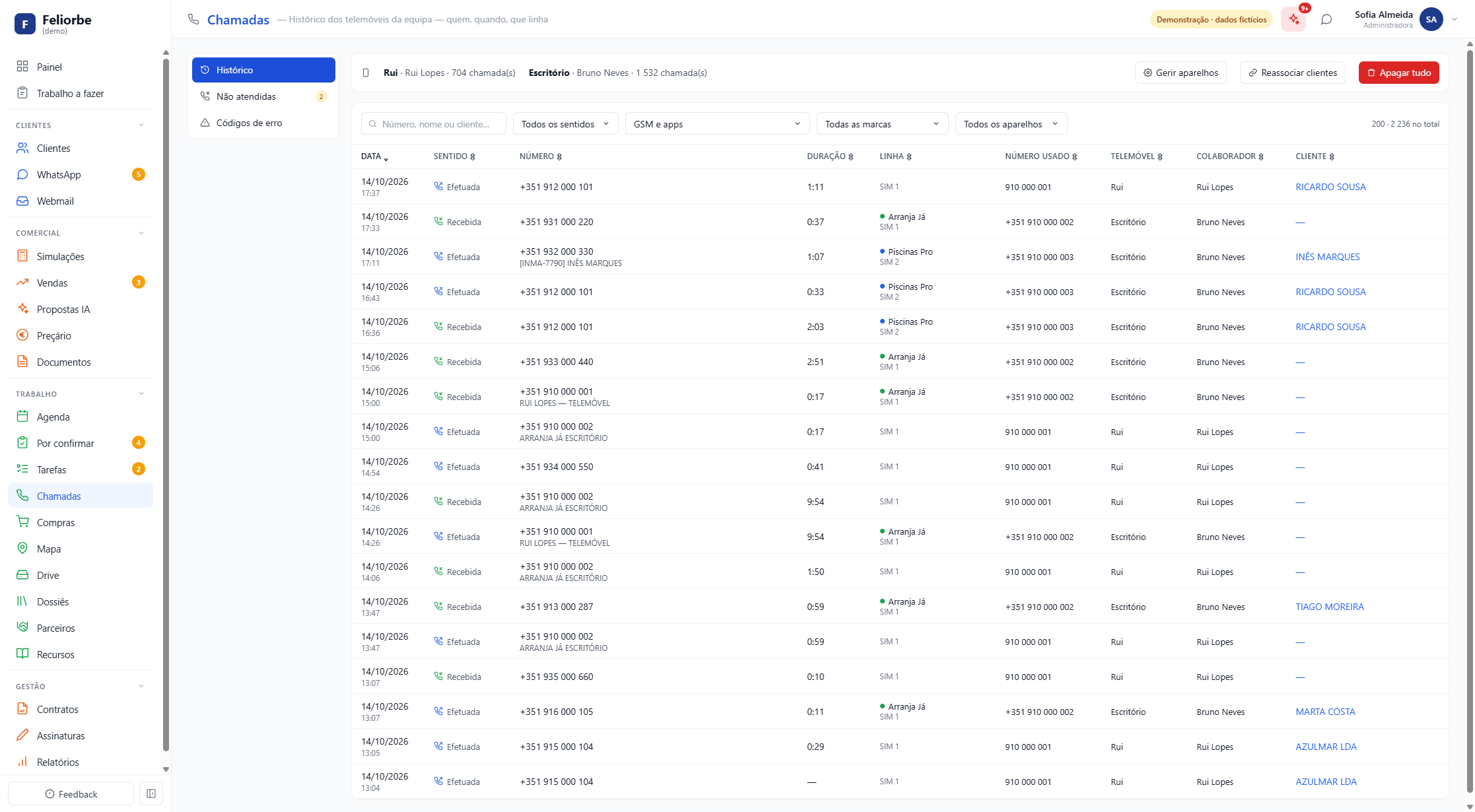
Calls made and received on the team's Android phones, with the duration and the linked customer, without a phone system.
Updated on
What does it look like?
What problems does it solve?
- A missed call is a customer who rings the competition.
- Nobody knows who called the customer, or when.
What does Calls do?
- Log of calls made and received on the team's Android phones: who spoke to which customer, when and for how long.
- Each call linked to the customer record, in the history.
- No phone system (PBX) needed: the reception, technicians' and management's mobiles are enough.
- List of calls to return.
- Automatic WhatsApp reply to missed calls.
Which package is it in?
Part of the Communication commercial module, included in the Profissional e Completo packages. See pricing
Related modules
The official WhatsApp API in an inbox shared by the team, linked to each customer's record.
Customers and contacts
Everything about each customer in a single record: addresses, contacts, access details, files, GDPR consents, history and balance.
Requests and quotes
Each request moves across a board until the quote is accepted, with automatic follow-ups that stop on their own when the customer decides.
Frequently asked questions
Does call logging work on iPhone?
No. Call logging works from the team's Android phones.
How is the calls app installed?
The Feliorbe Android app is not on the Play Store: it is installed separately on each team phone, with help from the Feliorbe team.
Do you need a phone system?
No. Calls from the team's Android phones are logged in the CRM, with the duration and the linked customer, without a phone system.
What happens to a missed call?
It goes on the list of calls to return, and the customer can receive an automatic reply by WhatsApp.
See Feliorbe in action
We show you the platform using your business's own cases. Online demo, with no commitment.
Request a demo