ModuleOperations
Distribution
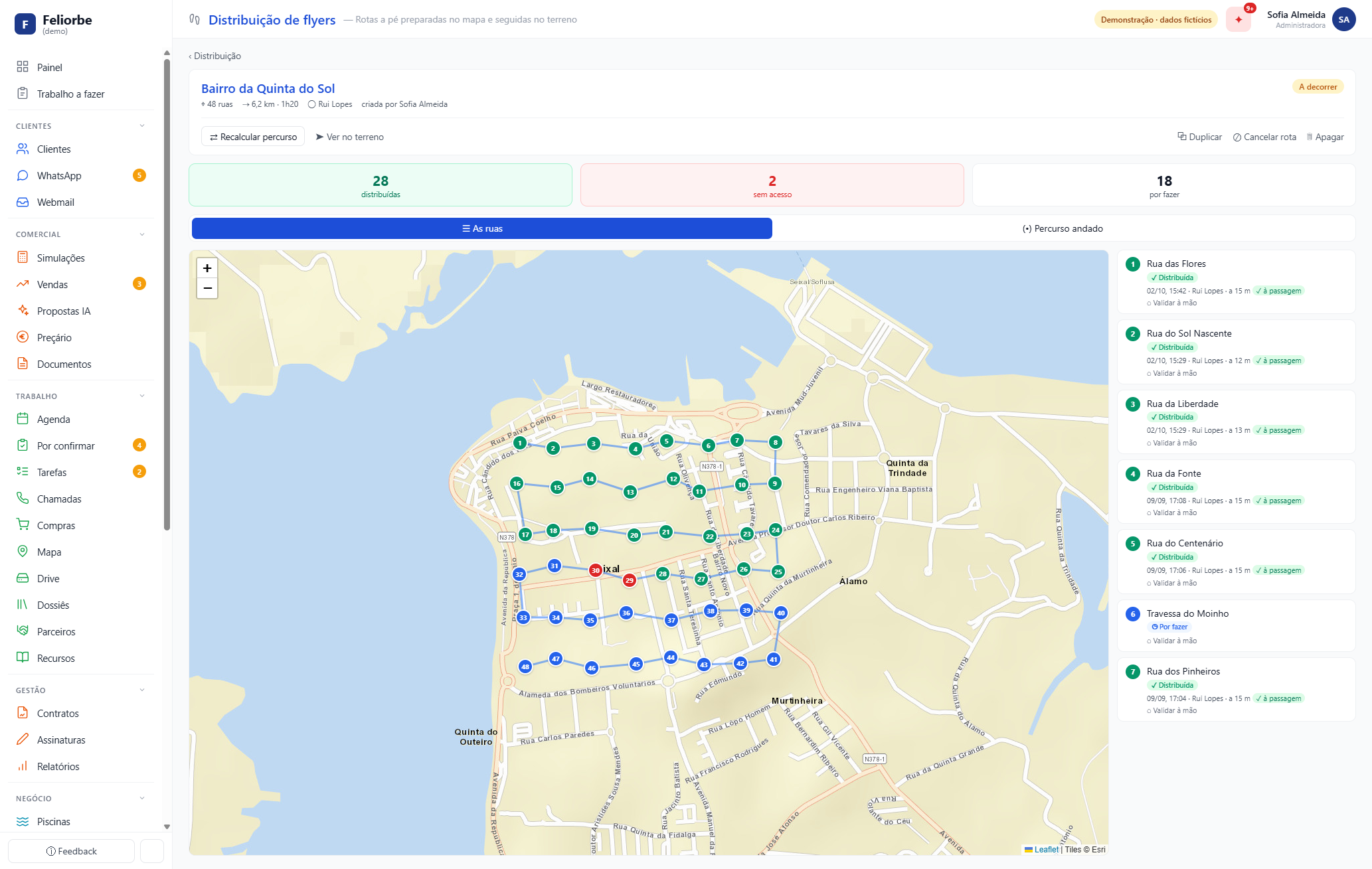
Leaflet delivery routes on foot, prepared on the map, with each street confirmed in the field and the coverage of each area.
Updated on
What does it look like?
What problems does it solve?
- You pay for leaflet delivery and don't know which streets were covered.
- The same buildings get leaflets twice and others get none.
What does Distribution do?
- Leaflet delivery routes on foot, prepared on the map and followed in the field.
- Each street marked as delivered, no access or still to do.
- Street confirmed by the distributor's position or by hand.
- Areas drawn on the map.
- Coverage of each area.
Which package is it in?
Part of the Sales and marketing commercial module, included in the Completo package. See pricing
Which sectors use it?
Frequently asked questions
How do you know which streets have already received leaflets?
Each street on the route is marked as delivered, no access or still to do, confirmed by the distributor's position or by hand.
How is a leaflet delivery route prepared?
The route is prepared on the map, based on the areas defined by the business, and followed on foot by the distributor in the field.
Can I see the coverage of an area?
Yes. Feliorbe shows the coverage of each area, based on the streets delivered, with no access and still to do.
See Feliorbe in action
We show you the platform using your business's own cases. Online demo, with no commitment.
Request a demo