Schedule and jobs
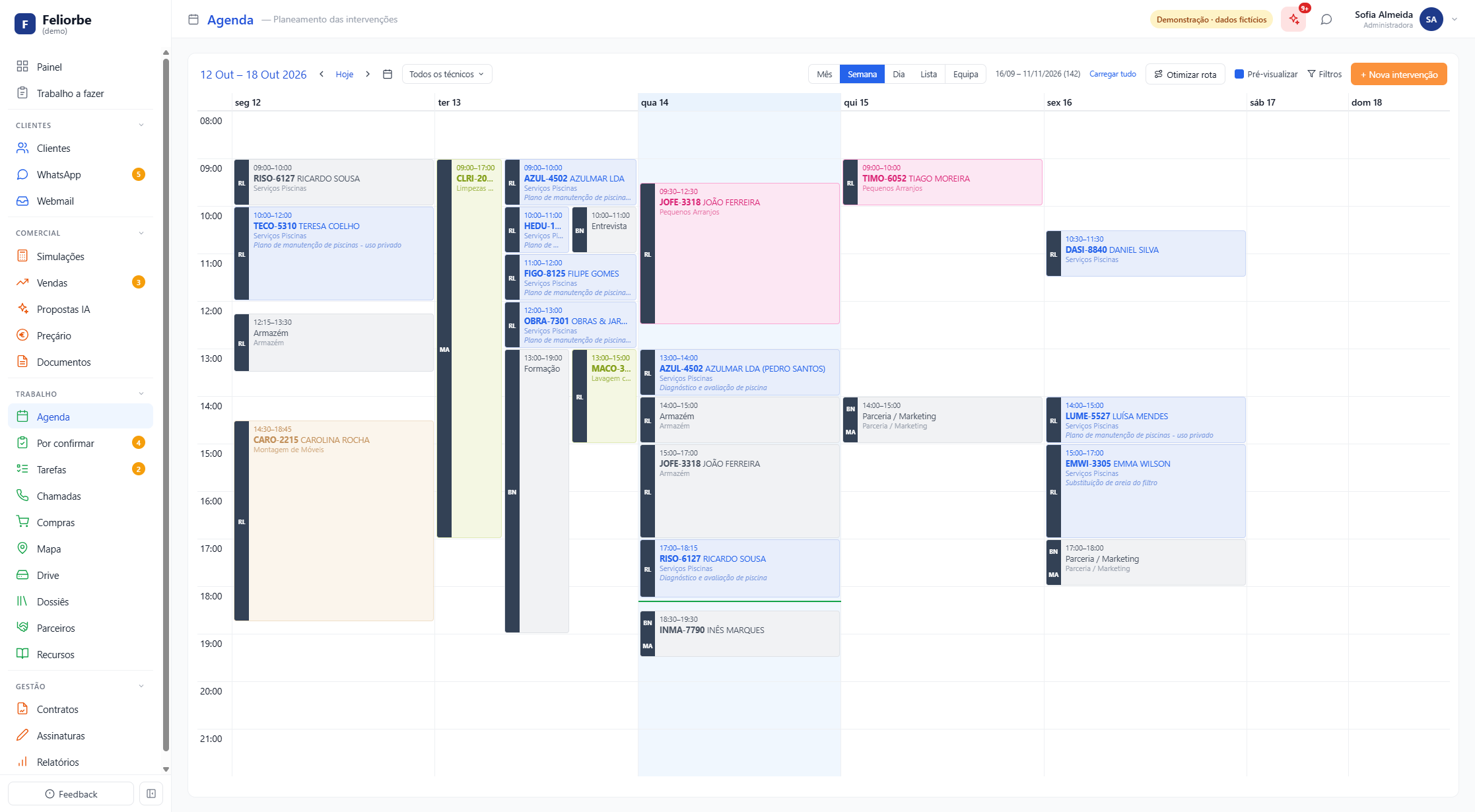
Each technician's schedule, the day's route and jobs closed with a checklist, photos and a report.
Updated on
What does it look like?
What problems does it solve?
- The technician arrived and the customer wasn't there.
- A visit was forgotten because it was on a piece of paper.
- The customer says the work wasn't done and there's no way to prove it.
What does Schedule and jobs do?
- Schedule per technician and team workload.
- Assigning and reassigning technicians; a job can have a team of several technicians.
- Rescheduling, cancellation and recording when the customer is absent.
- List of visit times awaiting confirmation, and confirmation of the time with the customer.
- Suggested free slots.
- Optimisation of the day's route, with travel time between customers and from the base, estimated arrival time and the kilometres of each journey.
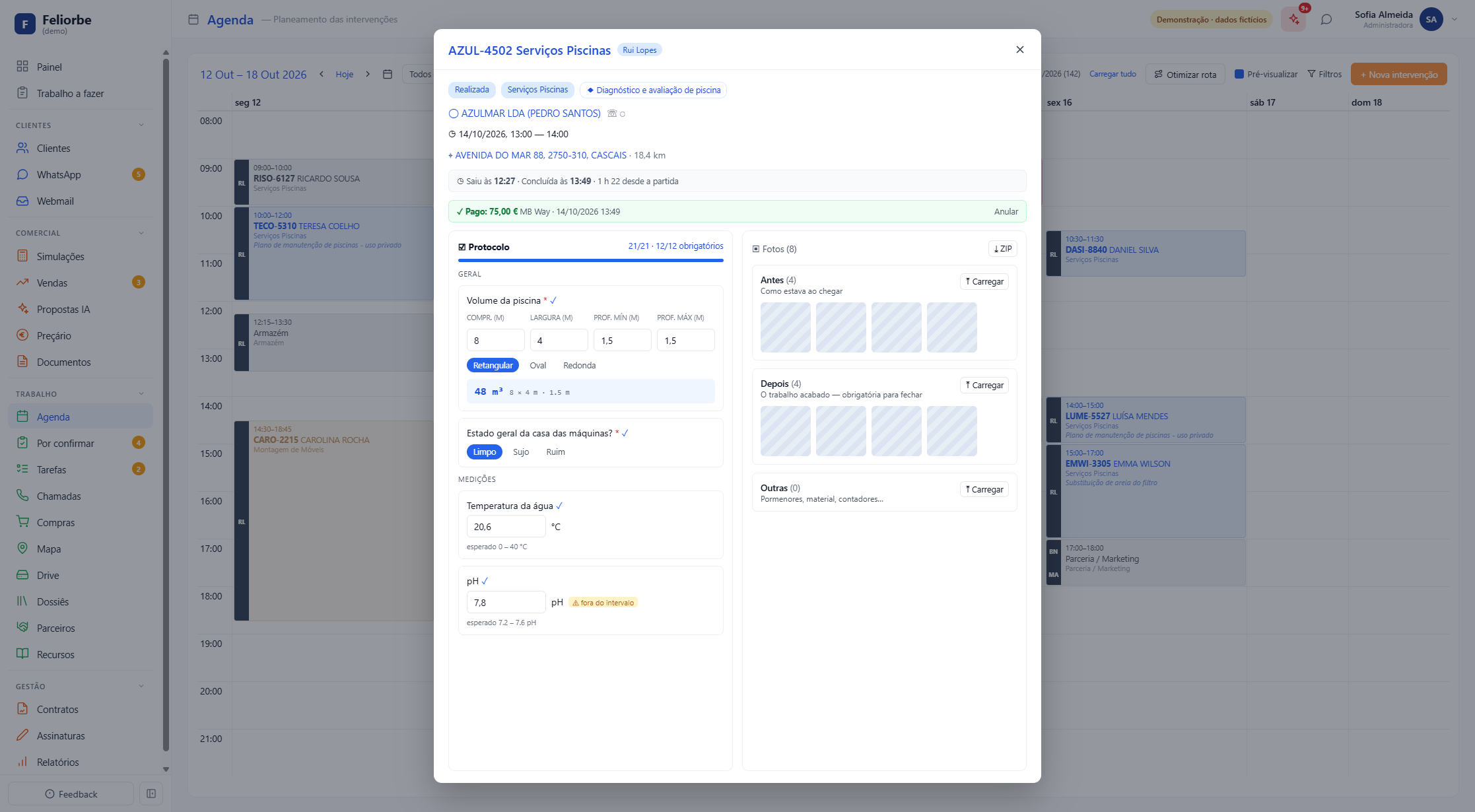
- Step-by-step job checklist, with readings and an expected range: any reading outside the range is flagged.
- Payment received on site recorded on the job (MB WAY, cash, bank transfer).
- Before and after photos required to close the job (unless an exception is justified with a reason).
- Job report.
Which package is it in?
Part of the core, included in every package. See pricing
More Schedule and jobs screens
Related modules
Mobile app
A web app that technicians install on their phone's home screen, without going through an app store.
GPS
A real-time map of the team, each technician's route, detected arrival at the customer and the kilometres of each day.
Contracts
Maintenance contracts from plan to invoice: schedule, document, electronic signature and automatically generated visits.
The official WhatsApp API in an inbox shared by the team, linked to each customer's record.
Related guides
Job reports with before and after photos: why and how
Why document every job with before and after photos, what the report should contain and how to comply with the GDPR when taking photos.
Read the guide →Frequently asked questions
How can you prove to the customer that the work was done?
In Feliorbe, a job can only be closed with before and after photos, unless an exception is justified with a reason. The job report is linked to the customer record.
How do you avoid forgotten visits?
Each technician has their own schedule, and Feliorbe shows the visits awaiting confirmation and the team's workload. With the Contracts module, maintenance visits are generated automatically.
Does Feliorbe plan the day's route?
Yes. Each technician's route for the day can be optimised from the schedule, with travel time between customers and the estimated arrival time.
What happens when the customer isn't there?
The customer's absence is recorded on the job, which can be rescheduled. To avoid it, the visit time is confirmed with the customer before setting off.
See Feliorbe in action
We show you the platform using your business's own cases. Online demo, with no commitment.
Request a demo