GPS
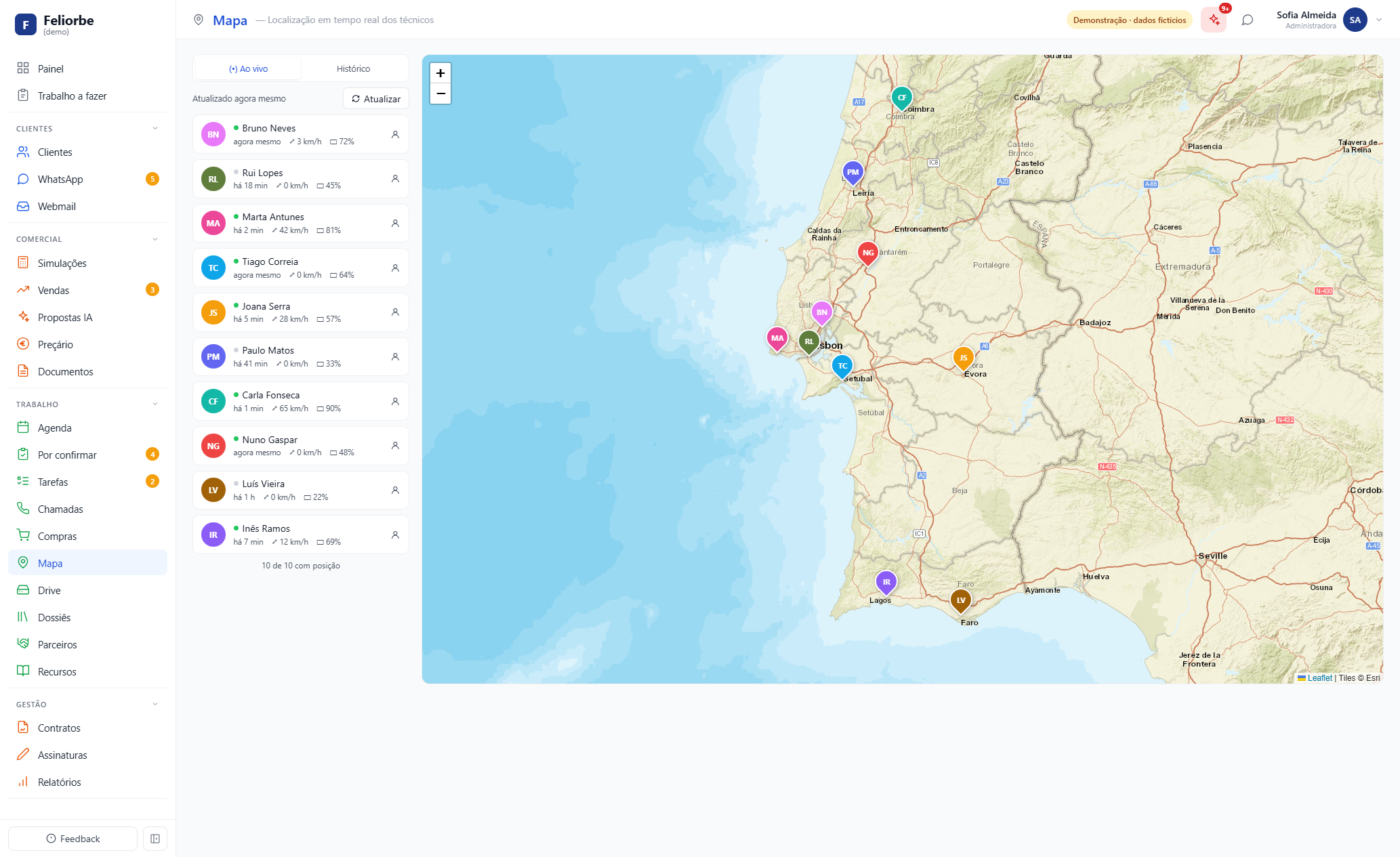
A real-time map of the team, each technician's route, detected arrival at the customer and the kilometres of each day.
Updated on
What does it look like?
What problems does it solve?
- To find out where the team is, you call each technician.
- The month's kilometres are counted from memory.
- The customer says the technician didn't turn up.
What does GPS do?
- Real-time team map, with a live view and history.
- Each technician's route for the day.
- Arrival at the customer detected.
- Travel time calculated from the technician's real-time position.
- Daily kilometres.
- Open-source maps (OpenStreetMap) or, optionally, Google Maps with the business's own API key.
Which package is it in?
Part of the Terreno Pro commercial module, included in the Profissional e Completo packages. See pricing
Which integrations does it use?
GPS
The GPS module shows the team map in real time, detects arrival at the customer's and calculates each day's mileage.
Learn more
Related modules
Schedule and jobs
Each technician's schedule, the day's route and jobs closed with a checklist, photos and a report.
The official WhatsApp API in an inbox shared by the team, linked to each customer's record.
Expenses
Team expenses with the receipt, approval and reimbursements, a mileage log and sending to the accountant through TOConline.
Frequently asked questions
Do you have to pay for Google maps?
No. By default, Feliorbe uses open-source maps. The business can choose Google maps instead, with its own API key and the costs charged by Google.
Which packages include GPS?
GPS is part of the Terreno Pro commercial module, included in the Profissional and Completo packages and available as an add-on module with Essencial.
How can you prove the technician was at the customer's?
With the GPS module, arrival at the customer is detected and stays in the history, along with the technician's route for the day.
See Feliorbe in action
We show you the platform using your business's own cases. Online demo, with no commitment.
Request a demo