Customer portal
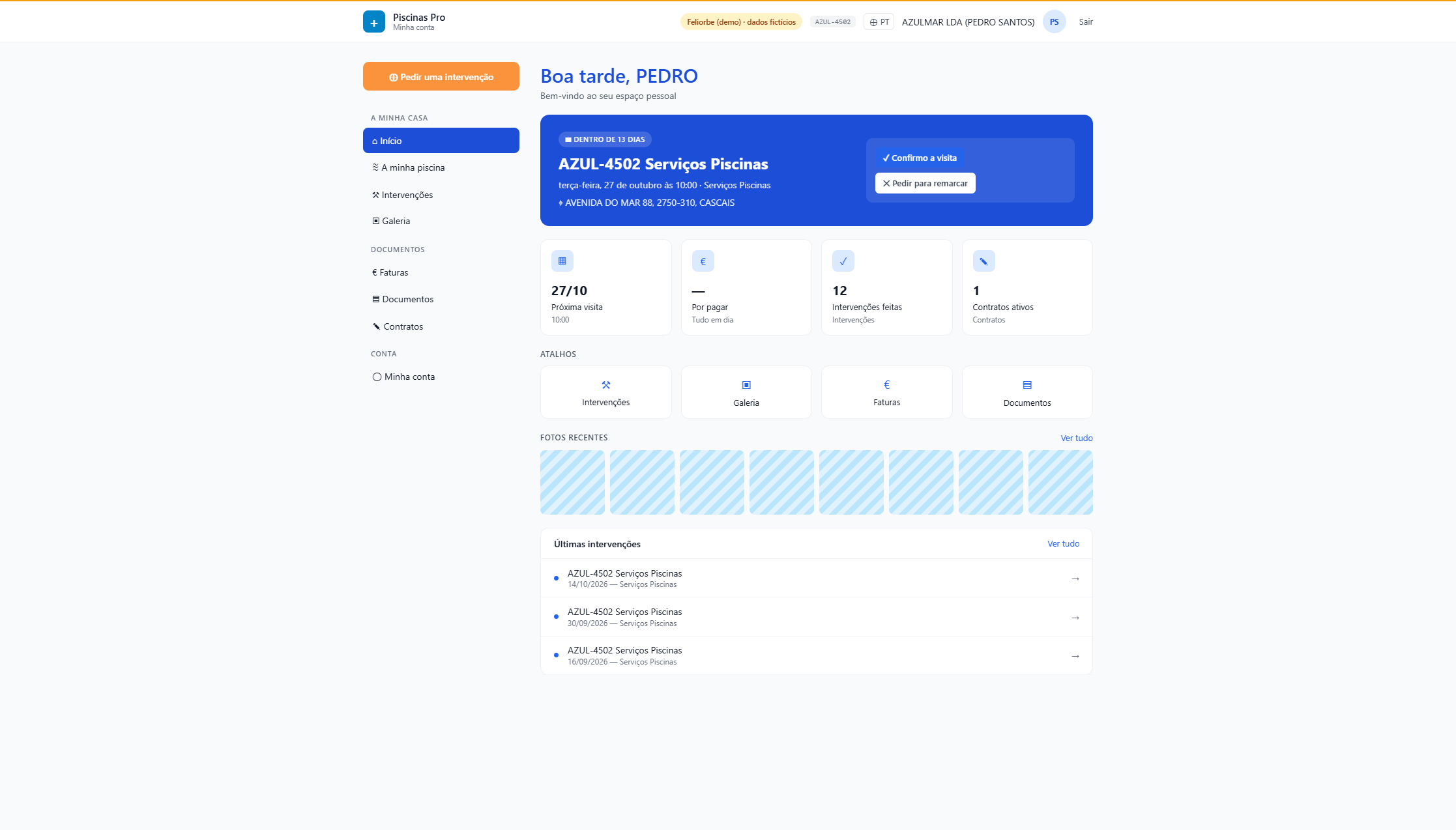
A space where your customer checks jobs, photos, invoices and contracts, confirms the visit and makes new requests.
Updated on
What does it look like?
What problems does it solve?
- The customer calls to ask for last month's invoice.
- The foreign customer doesn't understand the report in Portuguese.
- The customer calls just to check that tomorrow's visit is still on.
What does Customer portal do?
- Jobs and a gallery of before and after photos.
- The customer's requests and a «Request a job» button.
- Confirmation of the next visit or a request to reschedule it.
- Invoices and contracts, when those modules are active.
- The customer's documents.
- Available in Portuguese, English and French.
Which package is it in?
Part of the Customer portal commercial module, included in the Profissional e Completo packages. See pricing
Related modules
Schedule and jobs
Each technician's schedule, the day's route and jobs closed with a checklist, photos and a report.
Invoicing
Invoicing through InvoiceXpress, software certified by the AT, with monthly contract invoices and SEPA mandates.
Contracts
Maintenance contracts from plan to invoice: schedule, document, electronic signature and automatically generated visits.
Frequently asked questions
Which languages is the customer portal available in?
Portuguese, English and French.
What does the customer see in the portal?
Their jobs with the before and after gallery, their requests, their documents and, if those modules are active, their invoices and contracts.
Can the customer reschedule a visit in the portal?
Yes. The customer confirms the next visit or asks to reschedule it, and the request reaches the team. With the «Request a job» button, they can also make a new request.
See Feliorbe in action
We show you the platform using your business's own cases. Online demo, with no commitment.
Request a demo