Software for short-term rental cleaning and maintenance
Companies that clean and maintain short-term rentals use Feliorbe to organise cleaning between stays, record each job with photos, handle small repairs and invoice owners through InvoiceXpress.
Updated on
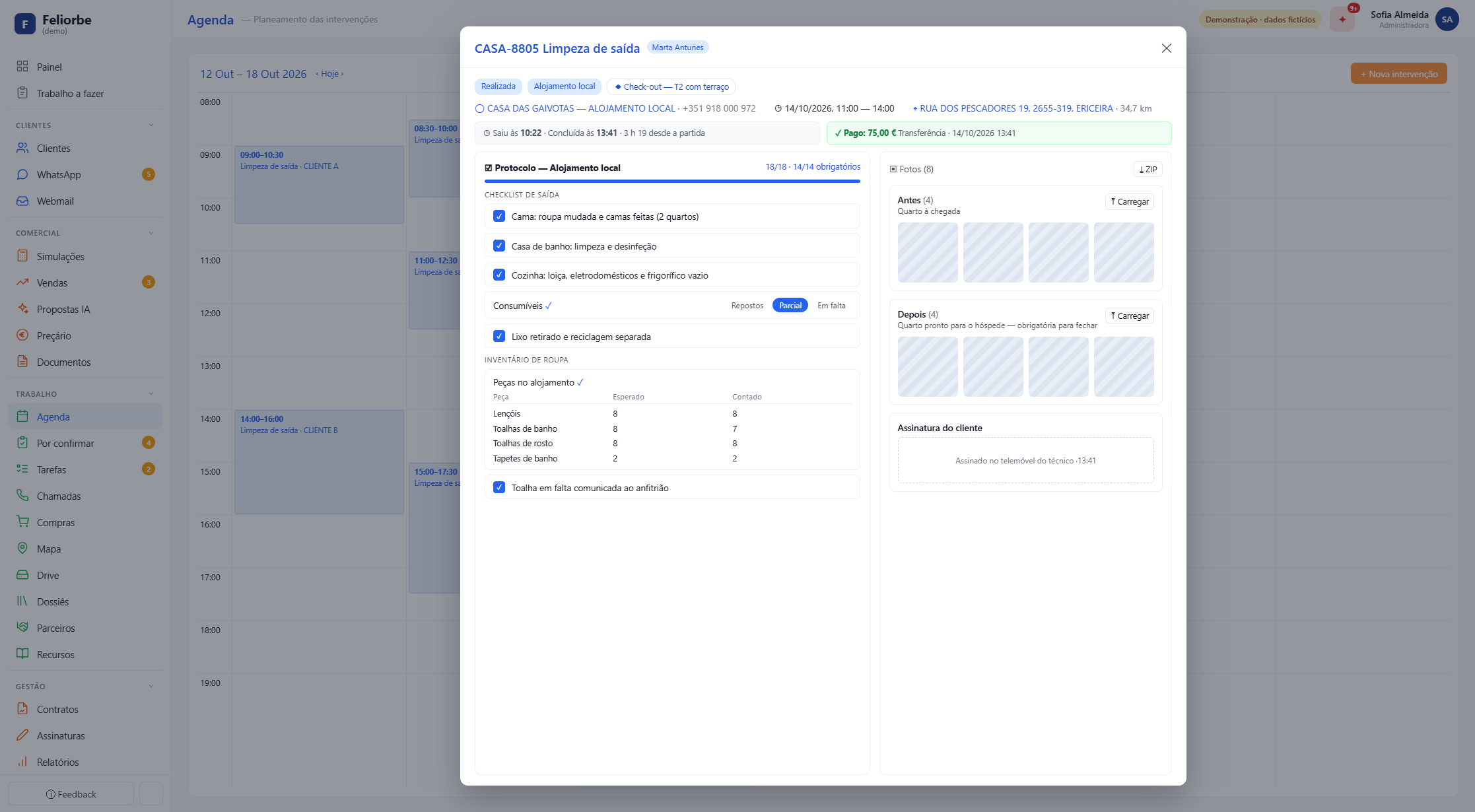
Example of a checklist configured for the sector, with fictitious data.
What problems does Feliorbe solve in short-term rentals?
- Cleans change with every new booking and the schedule is never right.
- The owner is far away and wants to see the state of the flat.
- Faults found during the clean never reach whoever does the repairs.
What does a typical workflow look like?
- 1Clean booked in the schedule
- 2Job with checklist and photos
- 3Fault logged as a new request
- 4Repair
- 5Report in the customer portal
- 6Monthly invoice
How do you show the owner the state of the property?
Each clean is closed with photos, which the owner views in the customer portal, along with invoices and reports.
How do you handle faults found during the clean?
The fault is logged as a new request and followed through to the repair, on the same platform.
What can be custom-adapted for short-term rentals?
Feliorbe develops custom modules. For a short-term rentals business, the adaptation can include:
- A link to booking platforms to schedule cleans automatically.
- Cleaning rates by property type (studio, one-bedroom, two-bedroom…), applied automatically.
- A log of the keys for each property: who has them and since when.
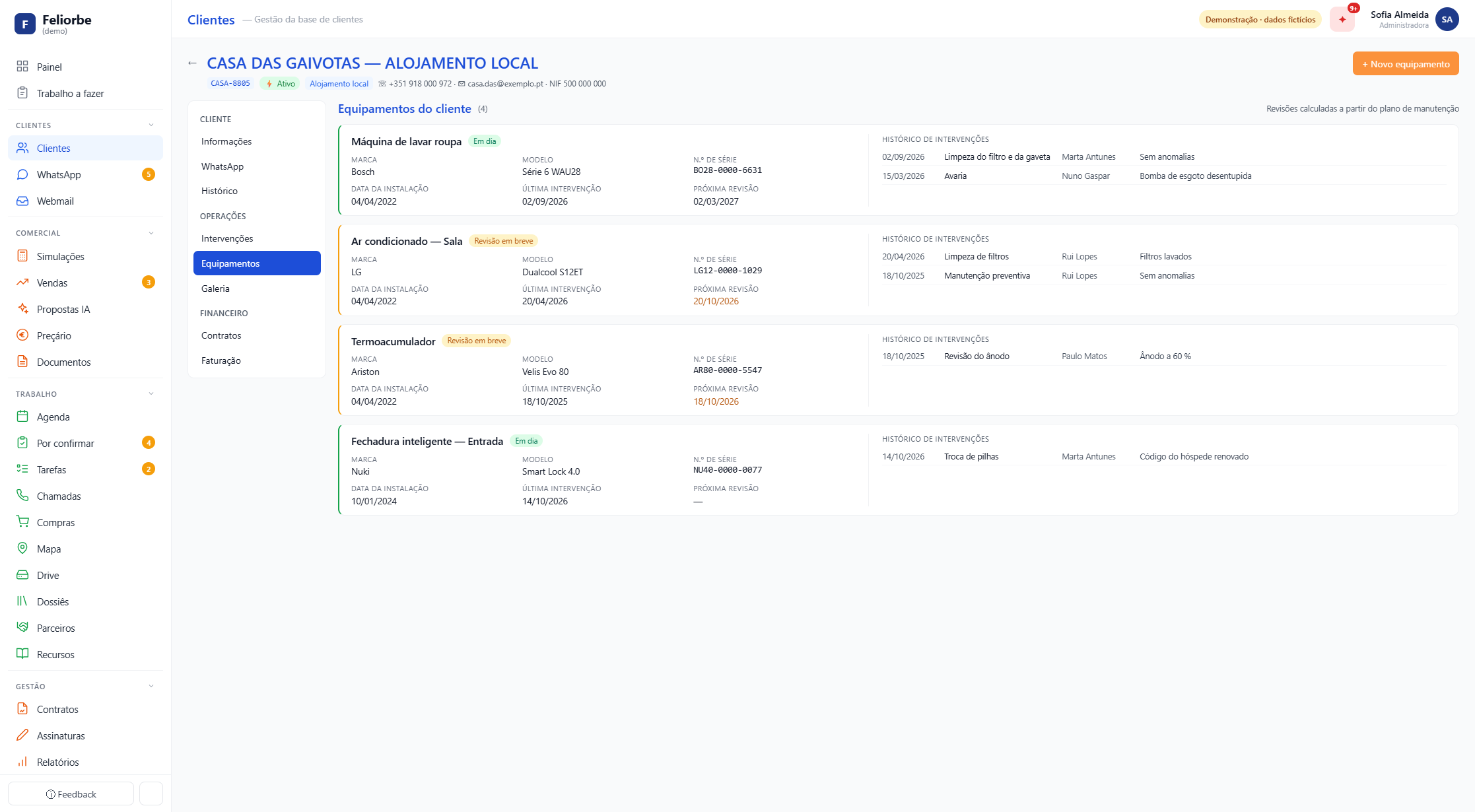
Example of a custom adaptation, with fictitious data.
Which modules do we recommend?
Schedule and jobs
Each technician's schedule, the day's route and jobs closed with a checklist, photos and a report.
Mobile app
A web app that technicians install on their phone's home screen, without going through an app store.
Requests and quotes
Each request moves across a board until the quote is accepted, with automatic follow-ups that stop on their own when the customer decides.
Customer portal
A space where your customer checks jobs, photos, invoices and contracts, confirms the visit and makes new requests.
Contracts
Maintenance contracts from plan to invoice: schedule, document, electronic signature and automatically generated visits.
Invoicing
Invoicing through InvoiceXpress, software certified by the AT, with monthly contract invoices and SEPA mandates.
Guides for this sector
How to invoice recurring maintenance contracts
When to issue the invoice for a maintenance contract, VAT per line, partial payments, credit notes, certified software and SEPA Direct Debit.
Read the guide →Job reports with before and after photos: why and how
Why document every job with before and after photos, what the report should contain and how to comply with the GDPR when taking photos.
Read the guide →Frequently asked questions
Is there software specifically for short-term rentals?
Feliorbe serves short-term rental businesses with the core — customers, schedule, jobs, quotes and invoicing — and with the modules listed on this page. When the sector needs more, Feliorbe develops modules tailored to the business.
Does each owner have access to their own area?
Yes, with the customer portal: each owner views jobs, photos, invoices and contracts.
Do staff need to install an app?
They use the Feliorbe web app, added straight to the phone's home screen, with no app store.
See Feliorbe in action
We show you the platform using your business's own cases. Online demo, with no commitment.
Request a demo